- Home/
- Credit Cards/
- How to Choose (and Change) Your Bank of America Customized Cash Rewards Category
How to Choose (and Change) Your Bank of America Customized Cash Rewards Category
October 7, 2026
October 7, 2026
Every account starts with a category already assigned. Here's how to pick your own, how to switch it, and how often you're allowed to.
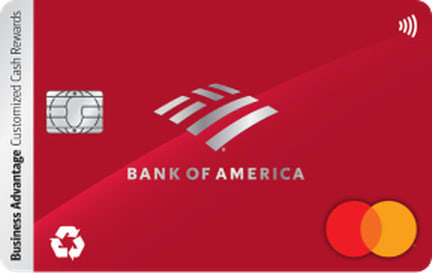
The Bank of America® Customized Cash Rewards card's elevated cash-back rate applies to one category you choose, but the choosing part is easy to overlook. (See Rates & Fees)
Here's exactly how the category selection works: what it defaults to, how to change it, and how often you're allowed to switch.
Question | Answer |
What's the default category? | Gas & EV Charging Stations, until you actively select a different one |
Where do I change it? | Bank of America Online Banking or the Mobile Banking app |
How often can I change it? | Once per calendar month |
What if I don't change it? | It stays the same; no action is required to keep earning at your current category |
How many categories can I choose from? | Six: gas and EV charging stations, online shopping, dining, travel, drug stores, or home improvement and furnishings |
Does switching reset my quarterly cap? | No. The $2,500 combined quarterly cap applies to the calendar quarter as a whole, shared across the choice category and grocery/wholesale club spending, regardless of how many times you change categories |
Cardholders can select one category to earn the card's elevated rate. Only one can be active at a time:
Gas and EV charging stations
Online shopping (also covers cable, internet, phone plans, and streaming services)
Dining
Travel
Drug stores
Home improvement and furnishings
Whether that extra flexibility is worth the attention comes down to how flat-rate and bonus-category cards compare more broadly.
Most people have so much going on in life that they end up forgetting about optimizing their credit card rewards. It's just not always top of mind for most consumers. They select a category that reflects their spending at that moment and then forget about it, even though spending patterns can change considerably throughout the year.
New accounts don't start with no category selected. Until a cardholder actively changes it, the choice category defaults to Gas & EV Charging Stations. That means a new cardholder who never logs in to make a selection is still earning the elevated rate somewhere, just not necessarily in the category that matches their actual spending.
Log in: Open Bank of America Online Banking or the Mobile Banking app.
Select your account: Choose the Customized Cash Rewards account.
Choose Get Started, then Change Category: Look for the option to view or change your choice category, typically listed alongside the card's rewards details.
Pick a new category: Choose from the six available options.
Confirm the change: There's no fee or penalty for switching.
Your new category applies to purchases you make after the change.
The choice category can be changed once per calendar month. If no change is made, the current category simply carries over; no action required. Cardholders who want to shift their elevated rate toward a different category, say, switching from gas to travel ahead of a trip, need to plan around this once-a-month limit rather than switching back and forth within the same month.
At the beginning of each month, look at your spending from the previous month and ask, 'Where am I likely to spend the most money that qualifies for the bonus?' Then look ahead. If you know you are taking a trip, buying furniture, doing a home improvement project, or making a large online purchase, that may be a good reason to change categories. That said, I would not encourage you to constantly switch categories just to squeeze out a few extra dollars.
Cardholders juggling this card alongside others in their wallet should look into maximizing cash back strategies across multiple cards.
The choice category and the 2% grocery/wholesale club rate share a single $2,500 combined spending cap each calendar quarter. Changing categories mid-quarter doesn't reset that cap or add a fresh allowance.
Whatever combined spending has already counted toward the $2,500 limit that quarter stays counted, regardless of which category earned it. Purchases beyond the cap earn the standard 1% rate for the rest of that quarter, no matter how many times the category has been changed.
One of the reward redemption mistakes that costs consumers the most money is treating a switch as retroactive. It is not. In other words, changing to 'Travel' after making a travel purchase does not retroactively turn that purchase into a bonus-category transaction. Making a purchase near the end of a quarter may also count toward the following quarter if it posts after the quarter changes.
Timing matters too: switching to Travel after you've already booked a flight won't earn the higher rate on that booking. Change your category before the purchase.
Because you can switch once a month, cardholders can reasonably shift their category toward whatever spending is coming up: home improvement ahead of a renovation, travel ahead of a trip, or dining during a season of eating out more. The main constraint is the once-per-month limit, so it's worth choosing deliberately rather than changing on a whim, particularly for cardholders who know their spending patterns shift predictably by season.
Generally speaking, you should choose the category that you'll likely spend the most on a credit card. For example, if dining is a high-spend category and the card company is offering a higher reward structure, you'd likely want to choose that option. Just know that some cards have relatively low caps embedded in the fine print of their rewards programs, so make sure to understand what those caps are.
Cardholders who'd rather not manage a choice category at all might prefer a one-card budgeting system instead.
If you also bank with Bank of America, BofA Rewards membership, based on your combined balances, can add a further bonus on top of whichever category rate applies. BofA Rewards members earn a 10%–75% bonus on the cash back they earn.
placeholder_rewards_rate_description
Gas & EV Charging Stations. It stays your choice category until you change it in Online Banking or the Mobile Banking app.
Log in to Online Banking or the Mobile Banking app, select the card, choose "Get Started," then "Change Category," and pick one of the six options.
Once per calendar month. If you don't make a change, your current category carries over automatically.
No. A new category applies only to future purchases, so switch before a big purchase, not after.
No. The cap covers the whole quarter and is shared between your choice category and grocery/wholesale club spending, no matter how many times you switch.
No. The $2,500 limit resets each quarter.
Yes, on the consumer card. Online shopping includes cable, internet, phone plans and streaming services.
Bank of America: Customized Cash Rewards category choices and exclusions, default category and category-change rules
Bank of America: Customized Cash Rewards credit card product page, quarterly maximum and rewards structure
Jamela Adam is a Financial Copywriter for Bestmoney.com, specializing in content for fintechs, finance SaaS companies, and wealth management brands. She earned her BBA from the University of Southern California and is a Certified Financial Education Instructor. With over 4 years of experience writing for Forbes, Investopedia, Yahoo Finance, and U.S. News, Adam is a trusted source for all things banking and finance.